Most apps assume a connection. They load data when you open a screen, save when you tap a button and show a spinner while they wait. That works in a city. It fails on a mountain trail, in a warehouse basement, on a farm, in a subway or anywhere coverage is weak.
An offline-first app is designed the other way around: it works with the data it already has on the device and syncs with the server when there is a connection. The difference is not a feature you add at the end, it is an architecture decision.
Who needs an offline-first app
- Tourism and outdoors: trails, parks, routes and guides.
- Field work: inspections, surveys, maintenance, sales visits.
- Logistics: deliveries, warehouses, drivers.
- Agriculture and rural areas: where coverage is the exception.
- Events: where thousands of people saturate the network at the same time.
A real case: trails at the end of the world
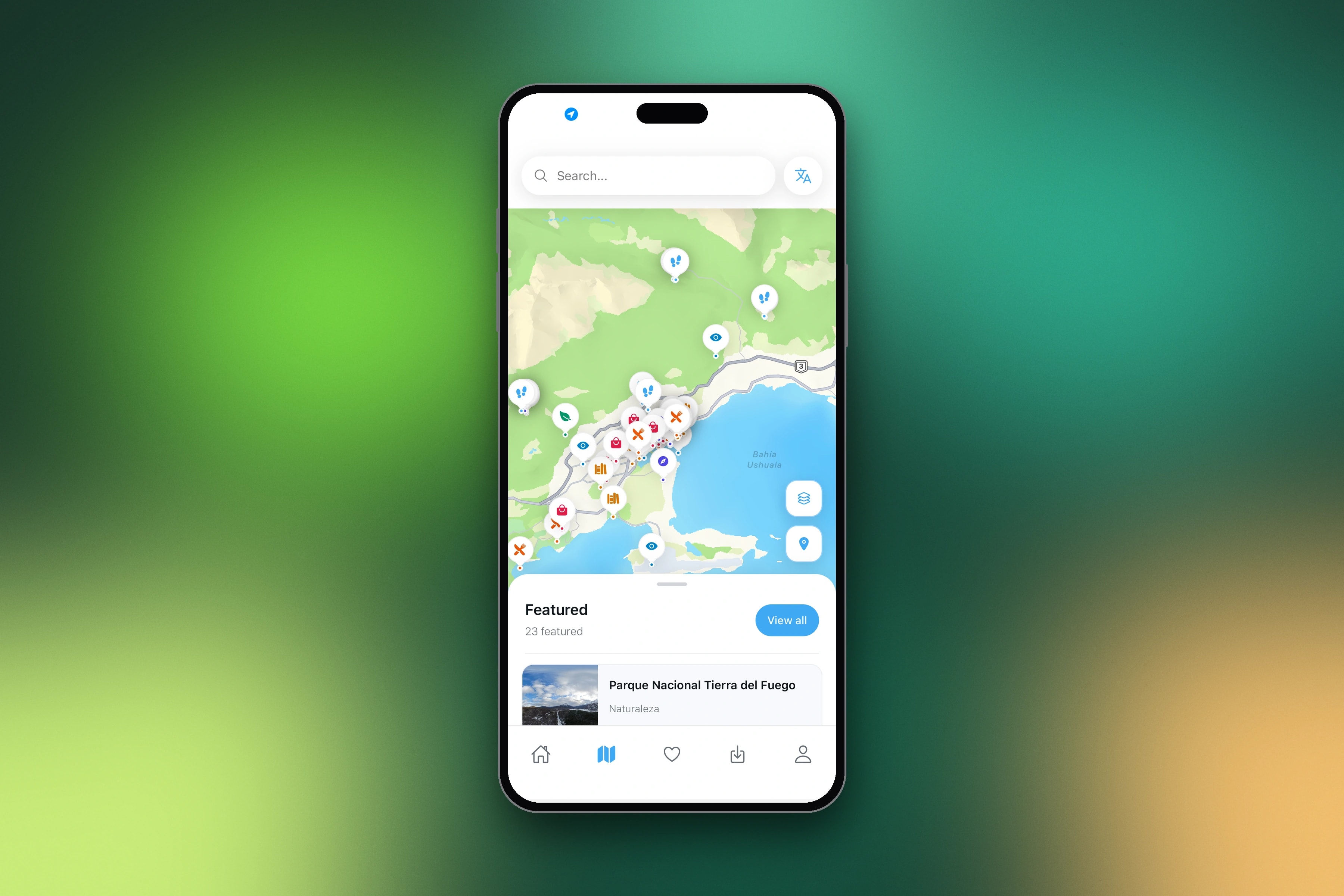
Ushuaia360 is an app for exploring Tierra del Fuego, at the southern tip of Argentina: GPS-mapped trails, 360° views of key points and tourist places. Ushuaia is the end of the world, and that is exactly where the signal dies. The core mechanic had to be offline: download the map, the trace, the information and the 360 photos, then walk with no signal.
Design decisions that change
Decide what is downloadable
Not everything has to work offline. Define the unit the user downloads: a trail, a route, a work order, a catalog. In Ushuaia360, each trail includes its GPS trace, waypoints, distance, elevation, difficulty and media, and it is downloaded as a whole before leaving town.
Make the state visible
Users need to know what is available without a connection. Clear labels such as "downloaded", "available offline" or "will sync when you are online" avoid the worst experience: discovering on the trail that something is missing.
Download before you need it
Offer the download at the moment the user is still connected and planning: when they open a trail's detail, when they save it, when they start a shift. Show the size, because mobile data and storage matter.
Maps and media are the heavy part
Text weighs nothing; maps and photos weigh a lot. Offline maps need tiles or vector data for the area, and 360° photos need careful compression. Balancing quality and download size is a big part of the work.
Writing offline: queues and conflicts
If users also create data offline (an inspection, an order, a note), the app has to store it locally, queue it and send it when the connection comes back. You also need a rule for conflicts: what happens if the same record changed on the server in the meantime.
The technical side, simply explained
- Local storage: the device keeps a database with what the user downloaded.
- Sync: when there is a connection, the app updates its data and sends what is pending.
- Native location: GPS works without internet, so navigation on a downloaded trace works with no signal at all.
- An admin to manage content: in Ushuaia360, a web admin manages trails, GPS traces, panoramic photos, waypoints and places, and the app downloads the latest version.
We built Ushuaia360 with React Native and Expo for iOS and Android, a Python backend and a Next.js web hub. Cross-platform technology was not a limitation for offline: we explain why in native vs. React Native vs. PWA.
What it adds to cost
Offline-first adds work: local storage, sync logic, download management and more testing. It is one of the factors we mention in how much it costs to build an app. But if your users work without signal, it is not optional: an app that fails exactly when it is needed will not be used twice.
Testing in real conditions
Offline apps have to be tested in airplane mode, with weak signal, with a connection that drops in the middle of a sync and with a full phone. The bugs that matter appear in those conditions, not on the office Wi-Fi.
If your users work in the field, on the road or in places without coverage, let's talk about your app.
Frequently asked questions
Can a React Native app work offline?
Yes. React Native apps can store data locally, use GPS without a connection, show downloaded maps and media, and sync when the connection returns.
Does GPS work without internet?
Yes. GPS positioning does not need a data connection. What needs to be downloaded in advance is the map and the route information.
Can a web app work offline?
Partially. Progressive web apps can cache content, but storage limits and browser restrictions, especially on iPhone, make native or React Native apps more reliable for heavy offline use.